

PetsPlus sells pet food and supplies in Dubai. Its ERPNext instance holds 17,504 item masters across 272 item groups, with 17,493 item prices behind them.
Until this project, none of it had a shop window. The company had been running ERPNext for years, on an older version, and had never opened the Web Shop side of it. There was no website of their own to put a product on.
What they asked for sounds like a website. It was not. It was independence.
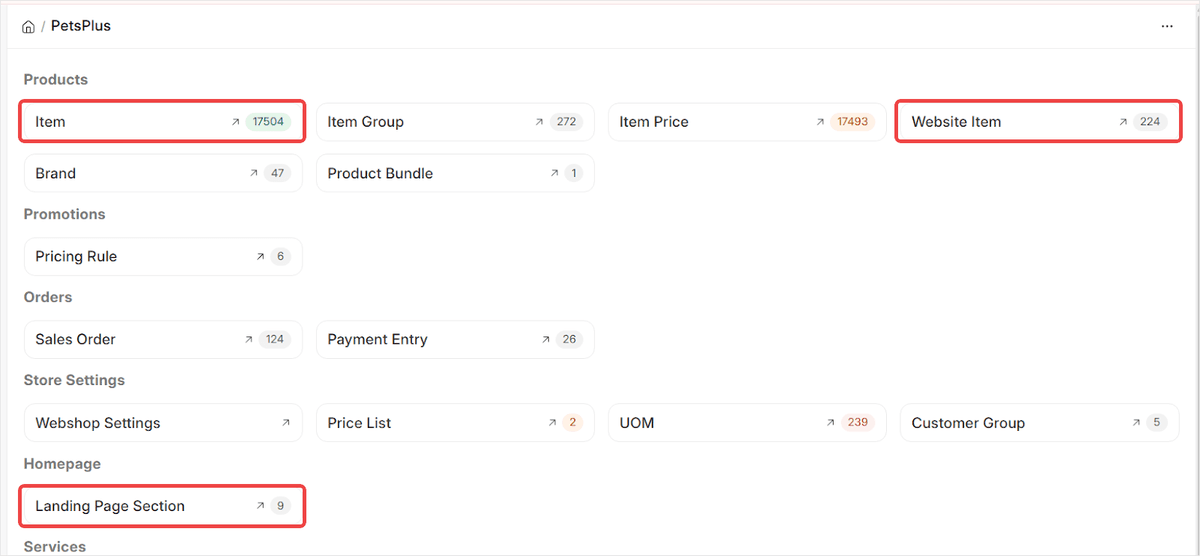
The PetsPlus workspace in ERPNext. 17,504 item masters, 272 item groups, and 224 items published to the web shop at handover. The Landing Page Section count, 9, is the number that matters most in this story.
A catalogue with no shop window
A pet shop's catalogue is awkward. PetsPlus stocks food, litter, bedding, toys, tanks, aquarium filters, reptile heat mats and small animal cages, and the same brand can appear across four species. That is how 17,504 item masters and 272 item groups happen at a single retailer.
It is also why the instance carries 239 units of measure. A pet retailer sells dry food by the kilogram, aquarium treatments by the millilitre, leads by length and toys by the unit, and a catalogue that cannot tell those apart cannot price them or ship them. Two price lists and five customer groups sit alongside, which is what lets the same item carry a counter price and a web price without anybody maintaining two catalogues.
The ERP already handled that. Purchase, stock, pricing and selling were all running. What was missing was everything between the item master and a customer in Dubai with a credit card.
The company also sells services. Aquarium cleaning is the live one: a technician goes to the customer's home, which means the thing being sold is not stock, it is an hour of somebody's time on a specific day. Nothing in a standard product catalogue models that.
What PetsPlus actually asked for
Not a website. They had been quoted websites.
The brief was that after it was built, nobody at PetsPlus should have to ring a developer to change it. Adding a promotional strip, reordering the homepage, swapping a banner for a seasonal sale: in the quoted alternatives, each of those was a code change, a deploy, and a wait.
For a retailer that runs a clearance sale, a seasonal promotion and a new arrivals push in the same month, that wait is the product. A homepage you cannot change on the morning you need to change it is a homepage working against you.
So the measure of success was set before anything was built: how much of this storefront can PetsPlus change without us?
Why build a landing page builder instead of using a theme?
Because a theme moves the dependency rather than removing it.
A themed storefront gives you a settings page with the options the theme author imagined. The moment PetsPlus wants a section the theme does not have, a circular category grid, a brand strip, a price filtered deal row, they are back to a developer. The dependency has not gone anywhere. It has been deferred to the first interesting request.
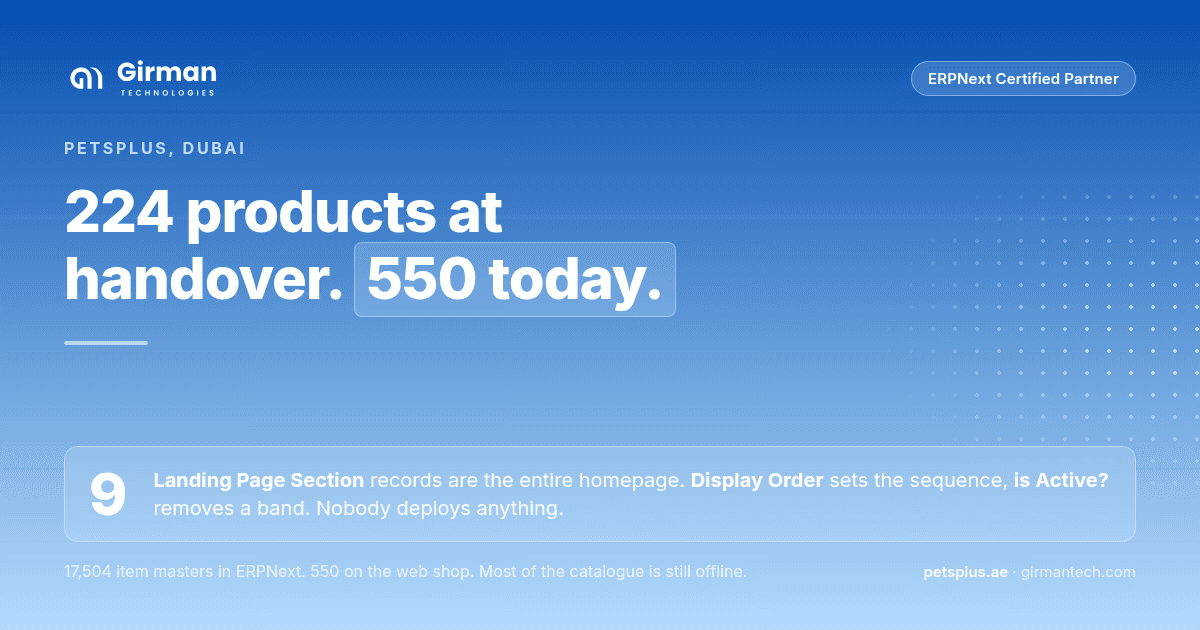
The alternative was to make the homepage itself data. A custom Landing Page Section doctype was built in the Frappe Framework, where each record is one horizontal band of the homepage. The storefront renders whatever records exist, in the order their Display Order says, and shows nothing for the ones where is Active? is unticked.
There are nine of them today.
That choice has a price, and it is worth naming while the argument is in front of you. A themed storefront gets new section types from its vendor. This one does not. When PetsPlus wants a band the Display Types do not cover, that is development work, and it sits with whoever maintains the system. The dependency was reduced to the cases nobody anticipated, which is a far smaller set than before, not an empty one.
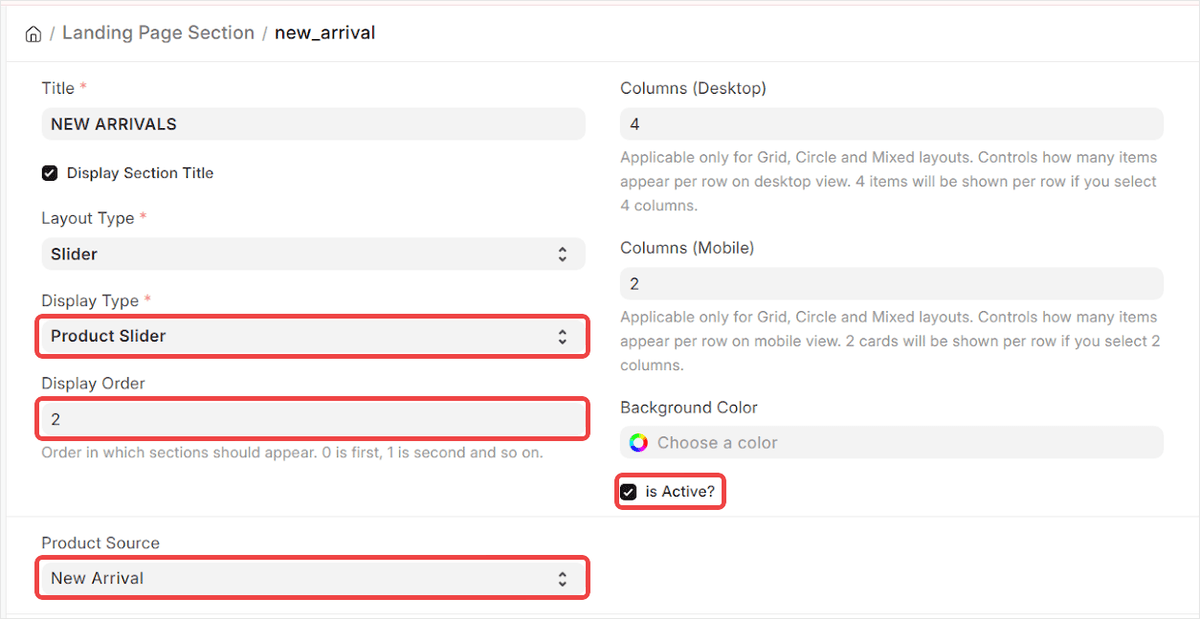
One Landing Page Section record, new_arrival. Display Type is Product Slider, Display Order is 2, Product Source is New Arrival. Untick is Active and the strip leaves the homepage.
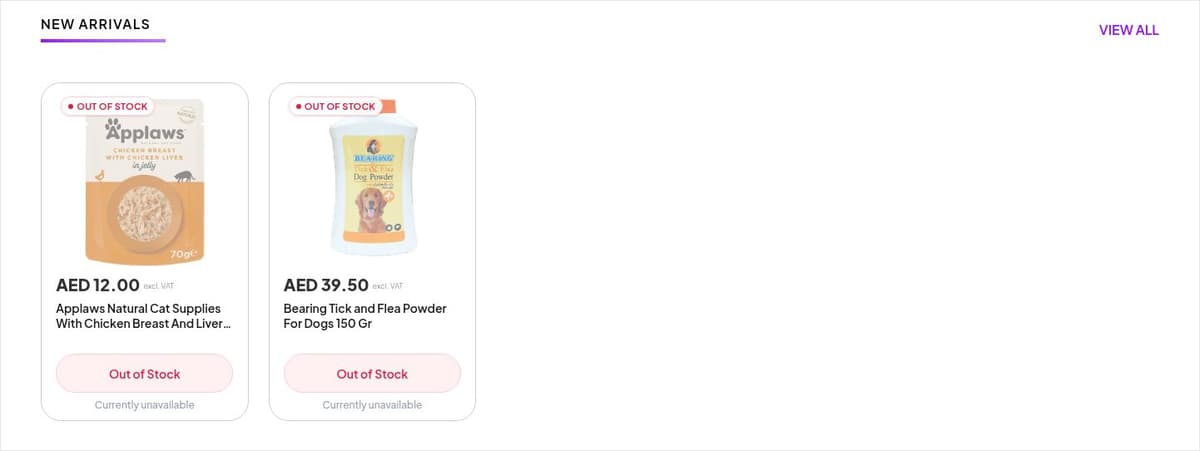
The same record, rendered. The section title, the column count and which products appear are all read from ERPNext.
A section does not hold products. It holds the rule for finding them. Product Source: New Arrival means the strip fills itself as new items are published, so a merchandiser who adds stock on Tuesday does not also have to remember to update the homepage.
Layout Type and Display Type carry the shape: Slider, Grid, Circle Grid, Mixed. Columns are set separately for desktop and mobile, four and two on this record, so the same band reflows without anybody writing a breakpoint.
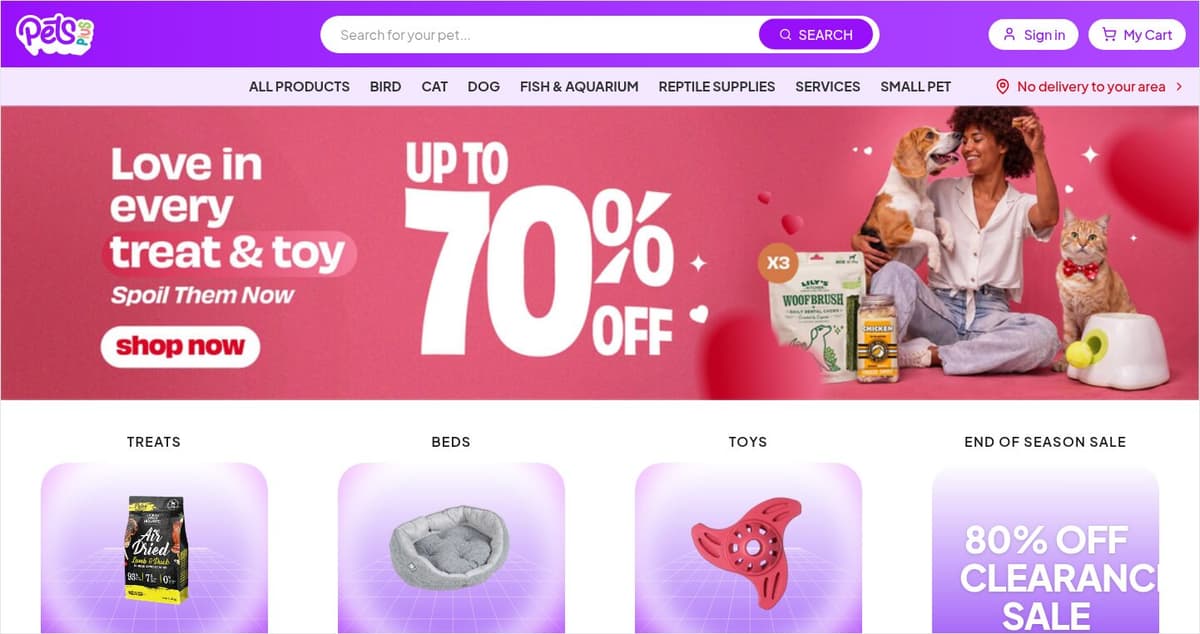
The top of petsplus.ae. The hero banner, the four category tiles and the sale card beneath them are all Landing Page Section records, edited in ERPNext.
Selling an hour instead of a product
The services side needed four doctypes, because a booking is a different shape from an order.
Service defines what is sold and links it to a stock item for billing, with an Active checkbox controlling whether it appears on the website at all, and a Home service flag recording whether the technician travels.
Service Schedule is the weekly availability: which days, and a start and end time for each. The manager sets it once.
Service Booking is what the customer creates. They pick a date, the available slots are generated from the schedule, and they choose one. When payment goes through, the payment status flips to Paid and the booking submits itself, so a paid booking cannot sit in draft waiting for somebody to notice it.
Service Slot Block is the one that comes from operating reality rather than from a spec. A schedule says Tuesday is available. Some Tuesdays it is not, because the technician is ill or the van is in for repair. The manager enters the date and a reason, and that day's slots disappear from the website without disturbing the weekly schedule underneath.
Underneath those four, slot instances are generated rather than entered. Nobody at PetsPlus creates a record to say a slot is taken. Booking one or blocking a day does it. They exist to show what has happened, which keeps the manager's job to two actions: set the weekly pattern, and block the exceptions.
One small decision saved a recurring annoyance. A service bills against a stock item, and service items are hidden in a pet shop's item list by sheer volume when the list also holds 17,504 products. A filter on the item list surfaces them, so whoever sets up a new service can find the billing item instead of scrolling for it.
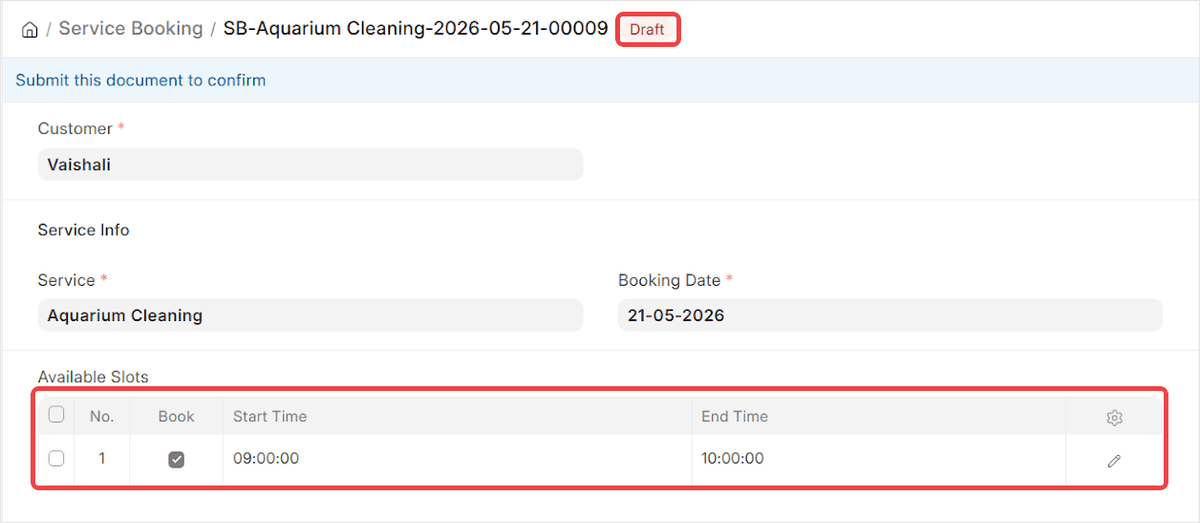
A service booking in draft, with the 09:00 to 10:00 slot selected from the slots the schedule generated. On payment it submits itself.
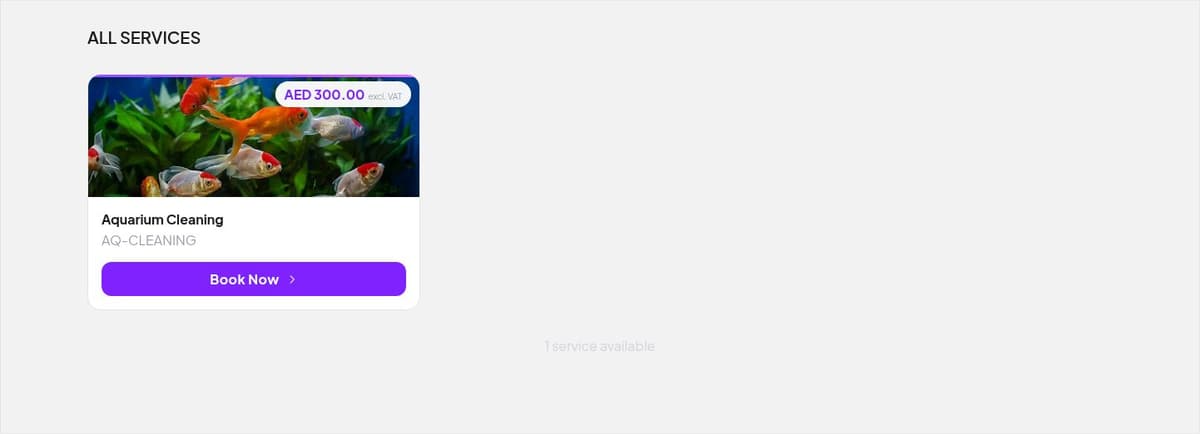
The same service on petsplus.ae, bookable at AED 300. PetsPlus can add more services without a deployment.
What runs where
The storefront is a Next.js application and ERPNext sits behind it, serving both the section definitions and the media those sections display. The two are separate deployments.
That split is the reason the homepage is editable. The storefront asks ERPNext what sections exist and renders them. It does not carry a copy of the layout in its own code, so changing the layout does not mean changing the storefront, and a banner swap never touches a build pipeline.
The rest is standard ERPNext doing standard work, and that is deliberate. Webshop Settings controls products per page, whether stock availability and prices are shown, whether out of stock items can still be added to a cart, and which price list the store sells from. Website Item is the publish gate: an item exists in ERPNext whether or not it is for sale online, and only a website item reaches the storefront, which is why the catalogue can be far larger than the shop.
Pricing Rule carries the promotions, six of them, including the buy one get one deal that appears as a Current Deals filter on the storefront. Product Bundle sells a group of items as one line, the pet shop version of selling a tank, filter and light together rather than making a first time fish owner assemble the list themselves.
Brand holds 47 records. The storefront separately advertises that the shop carries thousands of brands, which is a merchandising claim about what PetsPlus stocks rather than a count of anything in the ERP. The two numbers measure different things, and only the second one is a system fact. Worth knowing if you are sizing a similar catalogue from the outside.
An order runs the ordinary ERPNext path from there. A web checkout writes a Sales Order, and the Payment Entry against it is the record that the money arrived. Nothing bespoke sits in that chain, which matters more than it sounds: the web shop did not become a second place where orders live and have to be reconciled against the first.
What changed under the ERP itself
PetsPlus had been on ERPNext for years, but on a much older version. A web shop was the reason to move, and the move brought everything else that had landed in the intervening releases along with it.
The item master, units of measure and price lists were set up to current defaults as part of the work, which is the unglamorous half of a project like this and the half that decides whether the interesting half survives. A landing page builder is worth nothing on top of a catalogue nobody trusts.
Training came with it, in the form of material the team could go back to rather than a single handover session. That choice is visible in the numbers further down this page: a team that cannot re-check how something works stops using it the first time they are unsure, and PetsPlus did not stop.
How much can PetsPlus change without a developer?
This is the question the project was measured on, and there is now a number for it.
At handover, 224 items were published as Website Items. That figure is in the workspace screenshot at the top of this page.
The PetsPlus storefront today lists 550 products.
Nobody from the implementation team published the difference. PetsPlus did, in the course of ordinary trading, using the same screens the handover training covered. The homepage has been through at least one full seasonal change in that time, currently a 70% off treats and toys banner above an 80% off clearance card.
That gap between 224 and 550 is the only honest measure of whether a project like this worked. A storefront that still looks exactly as it was handed over is a storefront nobody can edit.
Why the shop is smaller than the catalogue
550 products are on the web shop. 17,504 item masters are in ERPNext. That gap is deliberate, and it is worth understanding before anyone reads it as unfinished work.
Publishing an item is not one click. A web shop item needs a description worth reading, at least one photograph that is not a supplier placeholder, the right item group, and a price that is correct on the website as well as at the counter. A pet shop's item master also carries things that have no business being online: discontinued lines kept for stock history, supplier pack sizes that are not a consumer unit, items sold only at the counter.
So the catalogue and the shop are not meant to converge. The Website Item gate exists precisely so a retailer can hold 17,504 items and choose which ones face a customer, and PetsPlus is working through that choice at the pace a retail team can sustain. 326 products in, the rate is the team's own.
What this pattern suits
A retailer with a large catalogue, a small team and a marketing calendar that moves faster than a deployment pipeline.
The specific thing worth copying is not the web shop. It is making the page layout into records that business users own, so the question "can we change this ourselves" has a yes in it. For PetsPlus that yes is currently worth 326 products and a season's worth of banners.
Thinking about an ERPNext web shop?
If your catalogue already lives in ERPNext and your website does not, the gap is usually smaller than it looks, and the part worth arguing about is not the storefront. It is how much of it your own team can change on a Tuesday morning.
Book a 30 minute session to see the landing page builder, the service booking flow and the web shop running in one ERPNext instance.